Debug Neos Framework Packages
The portable symbols files PDBs with source links are published in Azure Artifacts symbol server.
To enable debug of neos packages, you must set up Visual Studio :
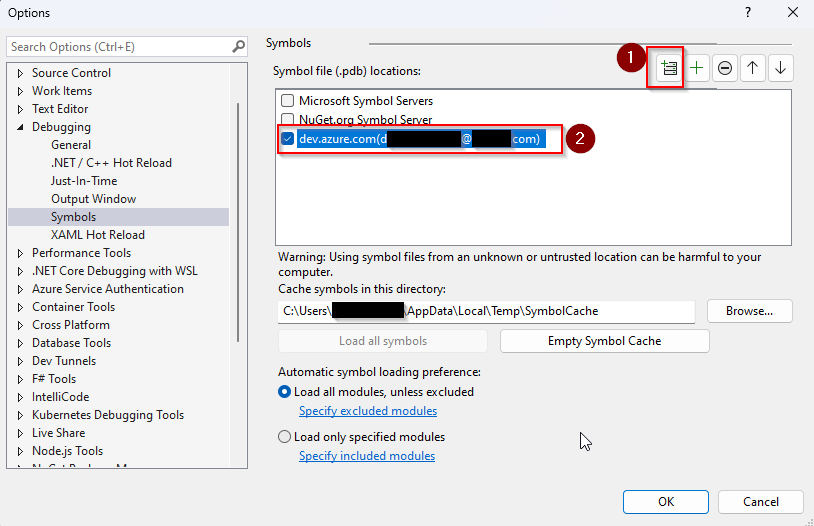
In Visual Studio, select Tools then Options.
Select Symbols from the Debugging menu.
Select the + (1) sign to add a new symbol server location.
A new dialog box will open, select your account from the dropdown menu, and then select the organization that you wish to connect to. Select Connect when you are done. (2)
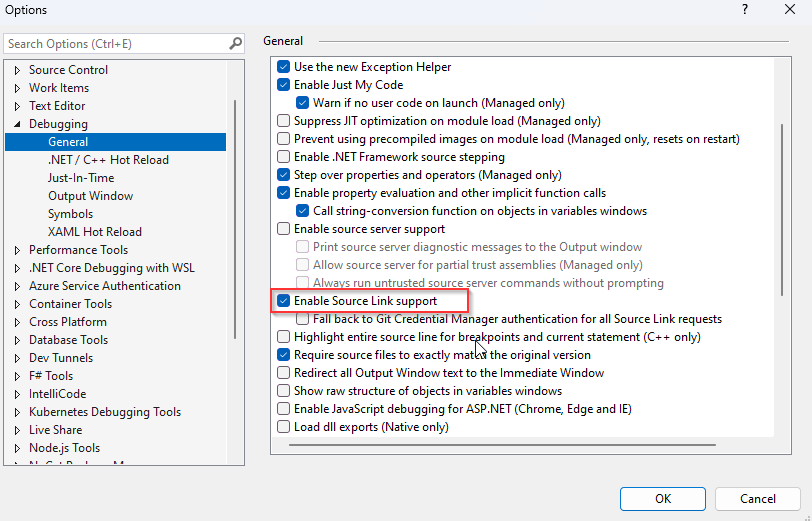
Select General from the same Debugging section. Scroll down and check Enable Source Link support to enable support for portable PDBs.
Currently the pdbs are not linked to the sources of the Azure DevOps GIT repository, so you must retrieve the sources from Neos repository and link them to your project:
Retrieving sources:
git clone --depth 1 --branch v1.10.3 https://[email protected]/POLE-ERP-GROUPEISA/FMK/_git/Neos
Replace v1.10.3 with your installed Neos version.
Link sources to your project: To access the Debug Source Files property page, right-click on your solution in Solution Explorer and select Properties from the shortcut menu. Expand the Common Properties folder, and click the Debug Source Files page.
Add the path where you have cloned the Neos repository :
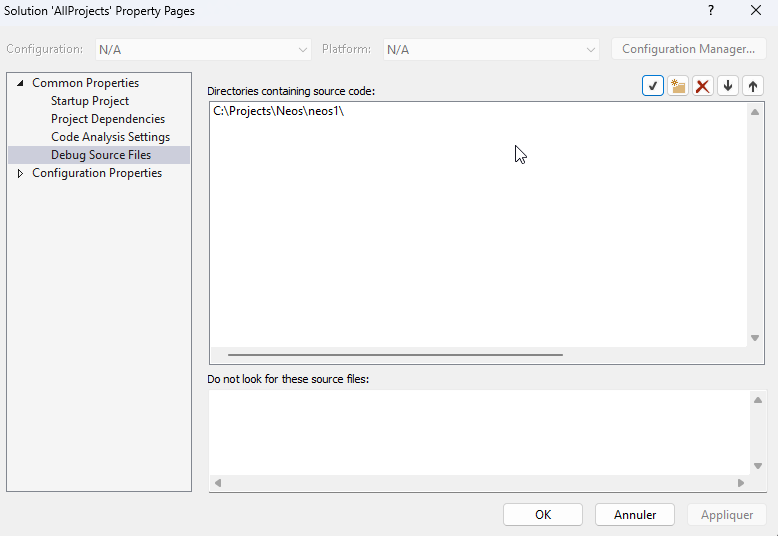
Replace c:\Projects\Neos\neos1 with your path where you have cloned the Neos repository.