Create a custom home page
What is an custom home page ?
When building a application you got a default home page.
Example (Northwind application home page) :
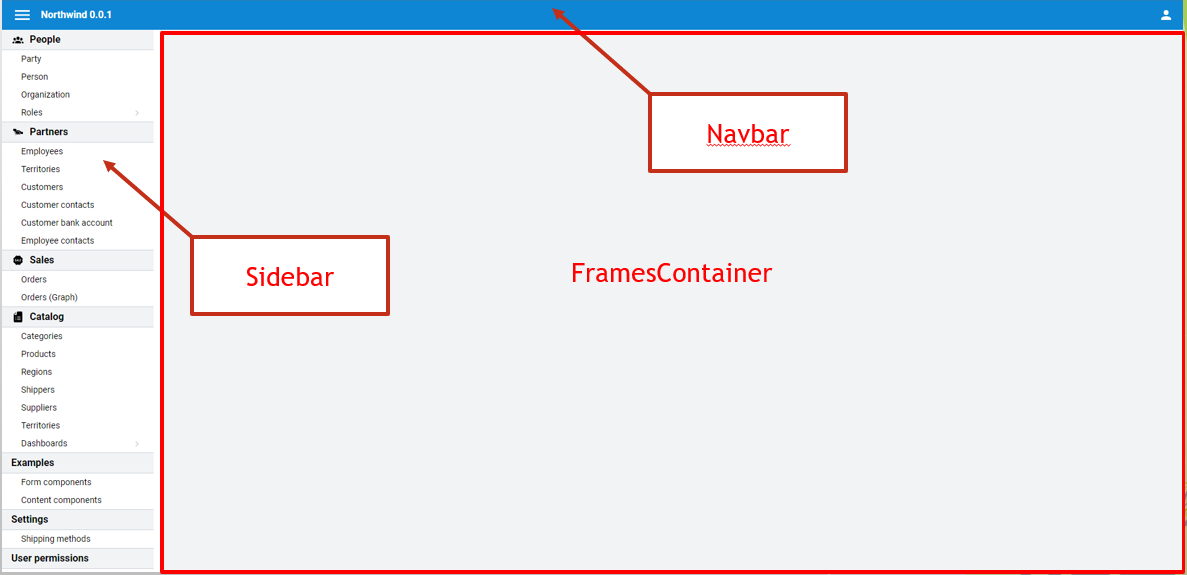
Fortunately it is possible to customize this home page by defining your own UI view with a specific template.
Example (Neos Studio application home page) :
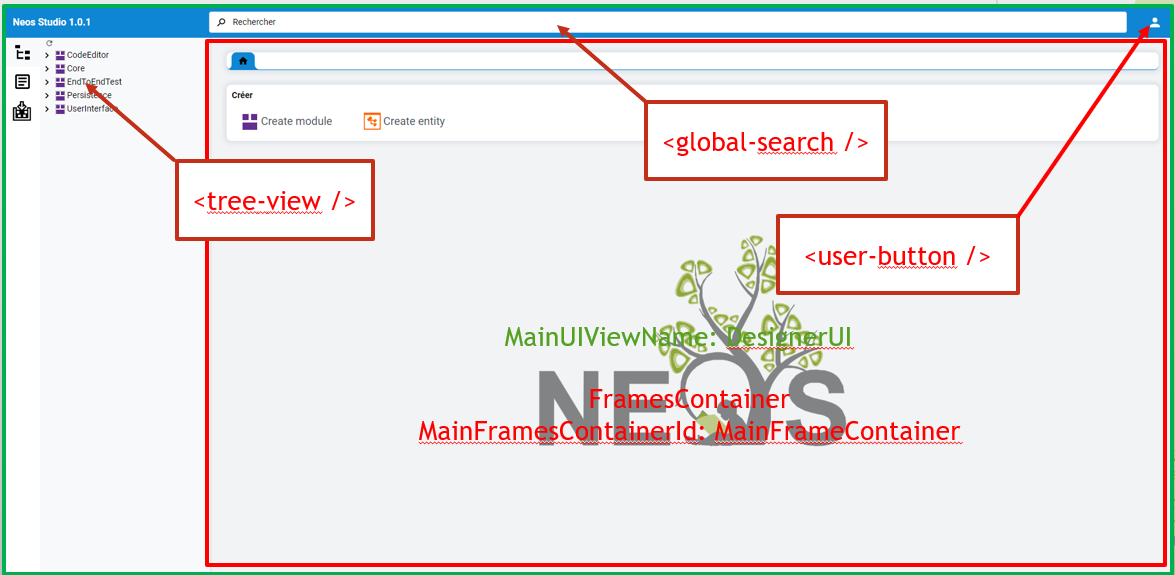
How to create an custom home page
Step 1: Creates a UI view with a template. The template of the custom home page UI view must contains a frame container with a specified identifier.
<frames-container container-id="HomePageContainer" />
Step 2: Specifies its name with the frame container identifier in the cluster configuration file.
MainUIViewName: HomePageUI
MainFramesContainerId: HomePageContainer
Using a single ViewContainer instead of tabs
If the application does not need FramesContainer's tabs (a classic, single-view application), the custom home page template can use a view-container instead:
<view-container container-id="MainView" />
MainUIViewName: HomePageUI
MainViewContainerId: MainView
Navigation still works the same way (menu items, NavigationOptions, URL and browser back/forward), but only one view is ever displayed at a time, with no tab strip.
Protecting unsaved changes when the view is replaced
With FramesContainer, navigating away from a tab does not lose anything: the tab simply stays open in the background. A view-container has only one slot, so replacing its content discards the previous view outright unless you opt in to the protect-unsaved-changes attribute:
<view-container container-id="MainView" protect-unsaved-changes="true" />
When enabled, replacing the displayed view goes through the same Closing/HasChanges confirmation a tab close already triggers, instead of silently discarding pending edits.
This defaults to false on every view-container (including the one used by MainViewContainerId) for backward compatibility: view-container already existed before this attribute, and any cluster using it today expects the current "always replace silently" behavior. Turning the guard on unconditionally would have changed that behavior for existing usages without their consent. Set it explicitly to true wherever the container can display an editable view.
Browser tab title
By default, the browser tab displays the cluster title and version, whatever the view displayed in the custom home page. When several browser tabs are opened on the same application, they can then hardly be told apart.
Set UseMainUIViewTitleAsBrowserTitle in the cluster configuration file so that the browser tab follows the title of the custom home page UI view:
MainUIViewName: HomePageUI
MainViewContainerId: MainView
UseMainUIViewTitleAsBrowserTitle: true
The Title of the custom home page UI view can then be an expression that uses the title of the view displayed in its container, found with FindViewModelOfViewContainer, and the name and version of the application:
Title: |-
  =string applicationTitle = ApplicationContext.ClusterTitle + " " + ApplicationContext.ClusterVersion;
  string? activeViewTitle = FindViewModelOfViewContainer<GroupeIsa.Neos.Application.UI.IUIView>("MainView")?.Title;
  return string.IsNullOrEmpty(activeViewTitle) ? applicationTitle : activeViewTitle + " - " + applicationTitle;
The type argument of FindViewModelOfViewContainer only matters for compilation: GroupeIsa.Neos.Application.UI.IUIView accepts whichever UI view the container displays.
The browser tab title is updated each time another view is displayed in the container or the title of the displayed view changes. While the title of the custom home page UI view is empty, the browser tab keeps displaying the cluster title and version.