Add localization in report
You can add multiple localizations in the report for all the labels you use.
When to use?
After you designed your report in a given language (AKA. Reference culture) and that you want to render it in a different language (see Culture option).
How to use?
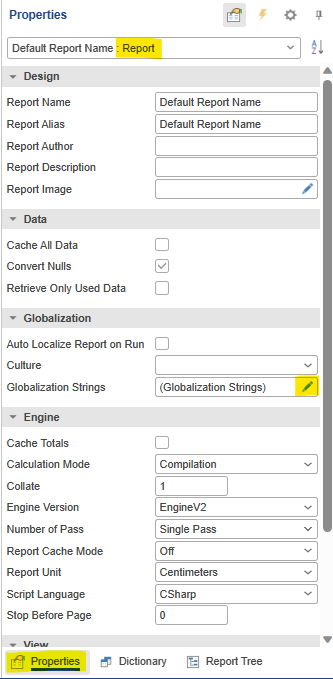
- Go to Properties > Select Report > Click on edit button on Globalization Strings
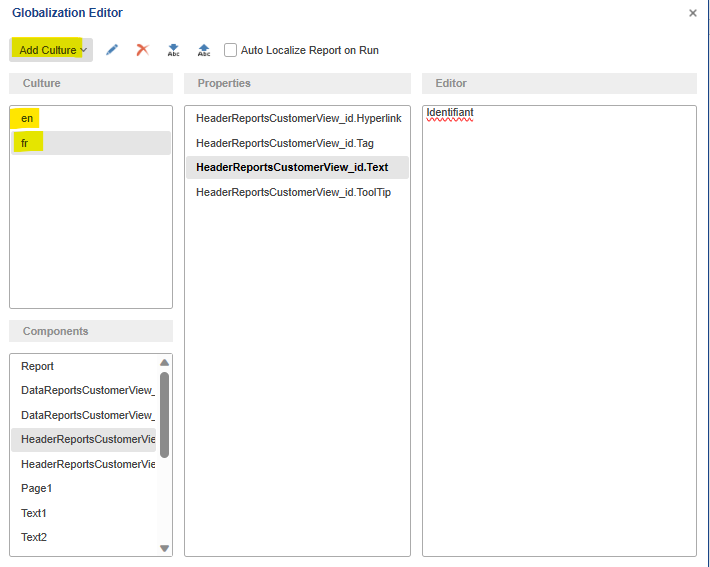
- Add culture and fill properties
Note
In order to translate content for multiple similar cultures, one case use a two-characters language codes (e.g. a single "en" language can be used to translate static texts for both "en-US" and "en-GB" cultures).